-260719-4-edited.png)
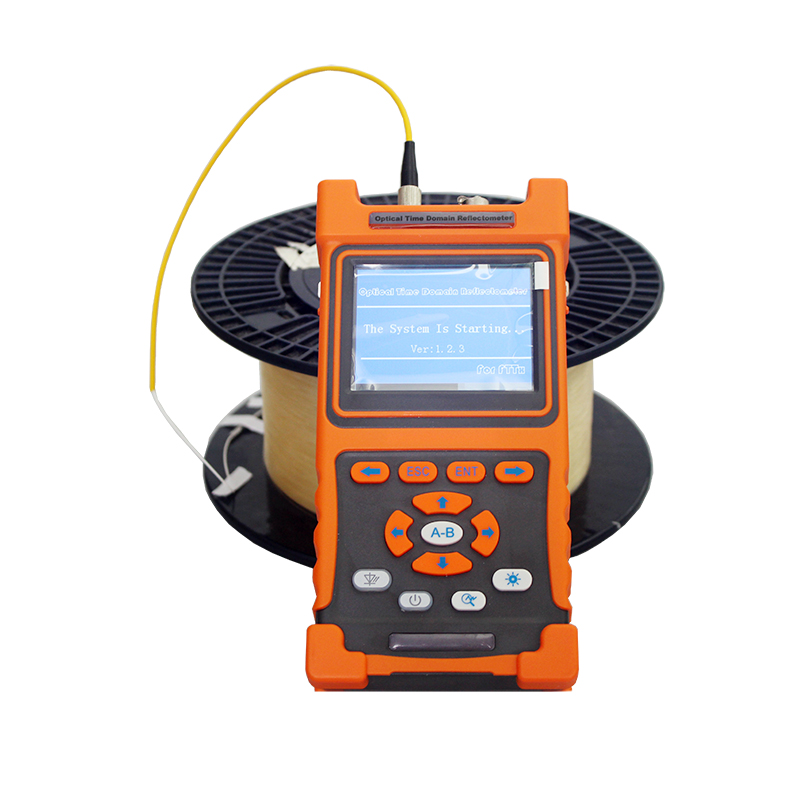
Working Principle of Optical Time-Domain Reflectometer
An Optical Time-Domain Reflectometer (OTDR) utilizes the backscatter phenomenon generated when optical pulses propagate through optical fibers. It injects a high-power narrow pulse into the fiber under test and then detects the scattered light power returning along the fiber axis at the same end, as shown in the figure below.
As the incident optical pulse propagates through the line, it generates Rayleigh scattered light and Fresnel reflected light along its path. Most Rayleigh scattered light refracts into the cladding and subsequently attenuates. Among this scattered light, the backward Rayleigh scattered light propagating in the opposite direction to the optical pulse travels along the fiber back to the input port of the line.
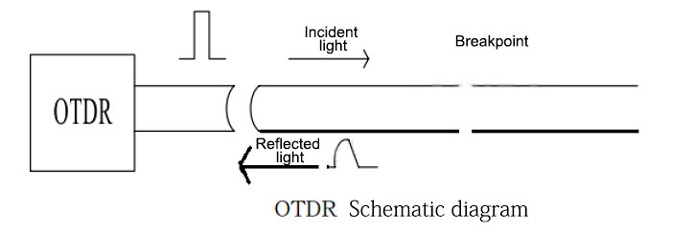
Rayleigh scattered light shares the same wavelength as the incident light, and its optical power is proportional to the incident light power at the scattering point. Measuring the backscattered Rayleigh light power returning along the fiber axis provides information about transmission loss along the fiber, thereby determining the fiber’s attenuation.
Precautions for Using Optical Time-Domain Reflectometers (OTDRs)
During operation, OTDRs continuously transmit high-energy optical signals (invisible light). Never allow the instrument’s transmitter port or connected pigtail port to directly illuminate the eyes during testing to prevent burns. Ensure optical interfaces remain clean; always maintain the cleanliness of the instrument’s test ports. This is critically important!
In routine fiber optic cable testing, most attenuation is caused by unclean fiber end-faces, which can severely impair optical link functionality.
During OTDR testing, no optical signals other than the instrument’s transmitted signal should be present in the fiber. Otherwise, test accuracy will be compromised, and optical link equipment may suffer severe damage. The OTDR transmitter port contains a fragile ceramic core; avoid forceful twisting.

Select appropriate test distances and pulse widths. When the cable length is unknown, first use the instrument’s auto-test function to assess the cable’s general condition. Subsequently, manually configure suitable parameters such as measurement range and pulse width to precisely locate the overall cable position, individual events, and associated losses. The OTDR’s average mode and real-time mode are respectively applied for routine maintenance and emergency cable repair work.
Setting threshold values in OTDR parameter configurations includes both reflection threshold and non-reflection threshold. Both parameters can be customized according to the user’s specific requirements. We often focus on setting the non-reflective threshold. The OTDR default value is 0.20dB. When users have higher requirements for fiber splice quality or bending characteristics, they can appropriately lower the threshold value. For example: If users require fiber splice points to be no greater than 0.10dB, the non-reflective threshold can be adjusted to 0.10dB. The reflective threshold setting follows the same principle.
Battery Usage Precautions for Optical Time Domain Reflectometers
The optimal ambient temperature for charging the battery pack is between 0°C and 40°C. In winter, users in northern regions should pay particular attention to the 0°C threshold. Charging indoors is acceptable, but avoid proximity to heat sources. In summer, users in southern regions should be especially mindful of the 40°C limit. Charge the battery pack in air-conditioned rooms or in cool, well-ventilated areas. Avoid charging while the OTDR is powered on.
After connecting the OTDR to power, do not insert or remove the battery pack from the OTDR unit.
If the OTDR will remain unused for an extended period (over one week), remove the battery pack and store it separately in a dry, clean location.
If the battery pack remains unused for a long time, it may discharge and become depleted. In such cases, charging for approximately 12 hours will restore normal functionality.